Shaders
Installing OptiFine
Method 1: Fresh installation
When you install a new game client, you will see an OptiFine option.
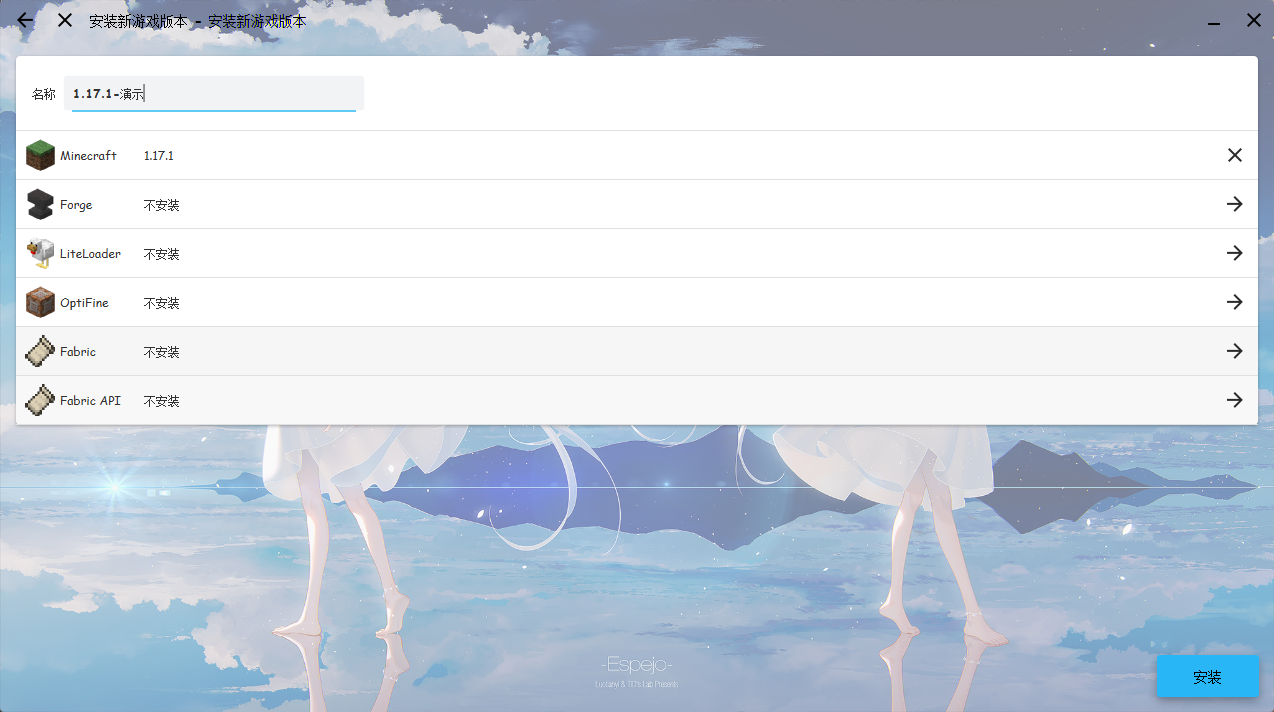
After expanding it, you will see 3 checkboxes. Generally speaking, Release versions are more stable than Preview versions. Choose to install a Release version, and only consider a Preview version if no Release version exists.
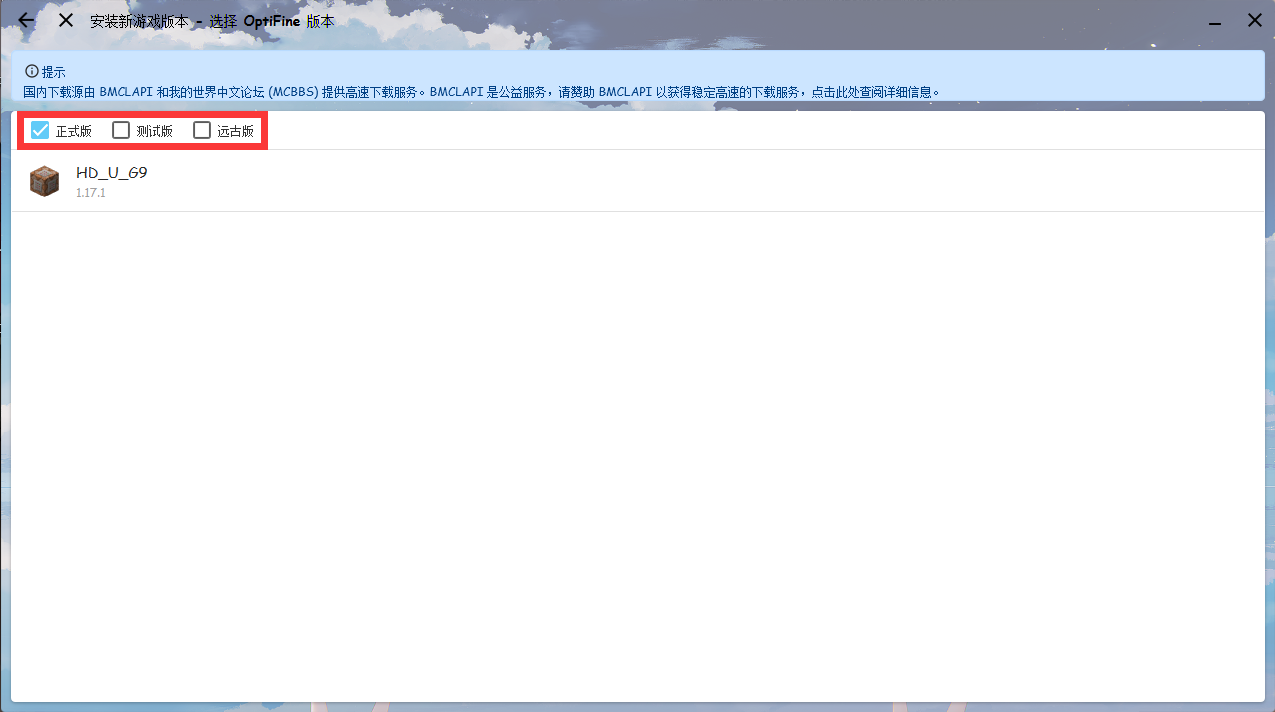
After choosing a suitable version, click Install in the lower right corner to continue the installation.
Method 2: Modify/upgrade an installed version
On the management page for the corresponding game version, click Automatic Installation, and you will see an OptiFine option.
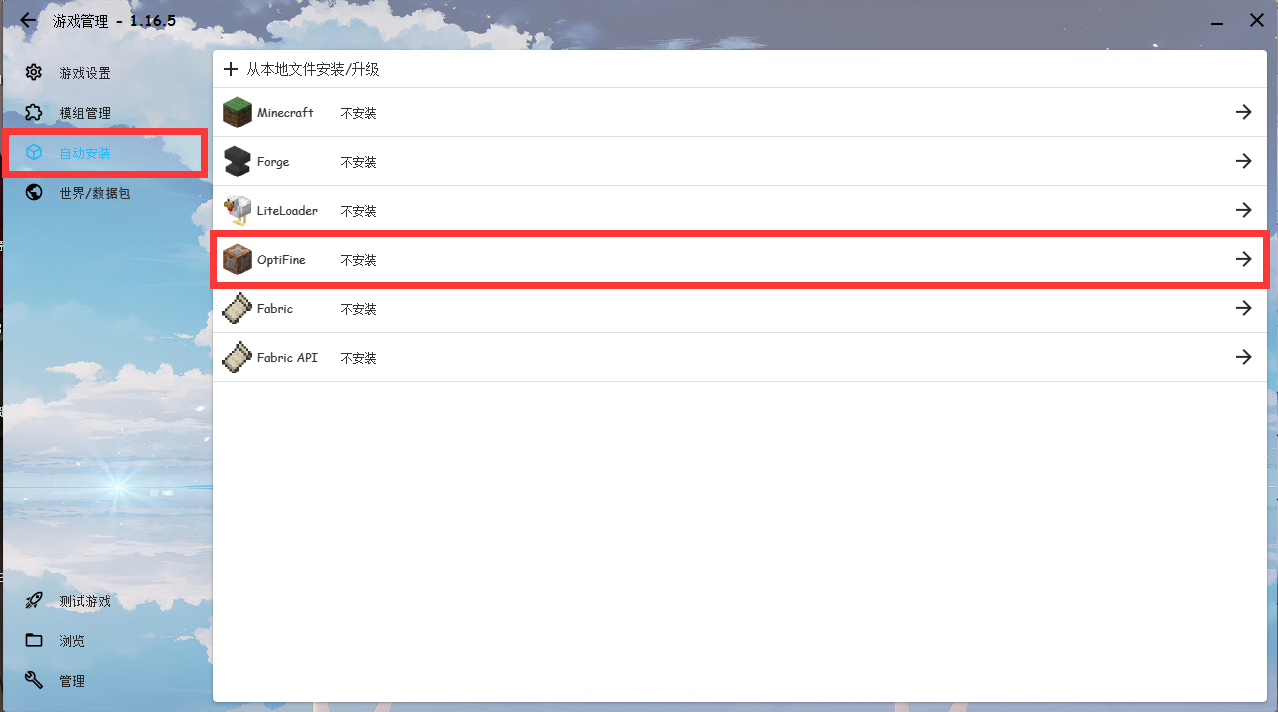
After expanding it, choose a suitable version and wait for the installation to finish. Currently, if you want to use OptiFine with Fabric, you need to install it via Method 4.
Method 3: Installing from the official website
Download a suitable version of OptiFine from the OptiFine official website (the downloaded file should be OptiFine_<game version>_<OptiFine version>.jar).
Open it by double-clicking, or with java -jar filename, and you will see this interface.
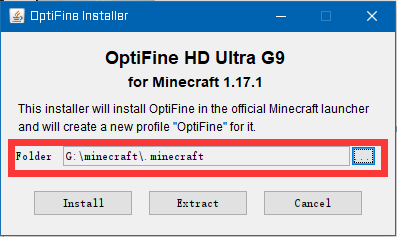
Select your game’s .minecraft directory (by default it installs to the \AppData\Roaming\.minecraft directory), then click the Install button. After that, you can find a client whose name contains OptiFine in HMCL’s version list; just launch it.
If you cannot find it, please confirm that you have installed the client for the corresponding version, and that the original game client is named after the corresponding version number.
Method 4: OptiFine coexisting with a mod loader
The Jar file downloaded from the OptiFine official website can itself be loaded as a mod. You can run the downloaded file with Java and export a mod version. For the specific method of installing mods, see the Mod installation tutorial.
Notes:
Fabric and OptiFine themselves cannot coexist; you must also install OptiFabric (a Fabric mod). For 1.17, OptiFabric currently only supports
OptiFine HD U G9, and the highestFabricversion supported is0.11.7.Forge and OptiFine can be incompatible, but in most cases Forge and OptiFine support each other. You can check OptiFine’s compatibility with Forge on the OptiFine official download page; the location is shown in the red box in the figure below.
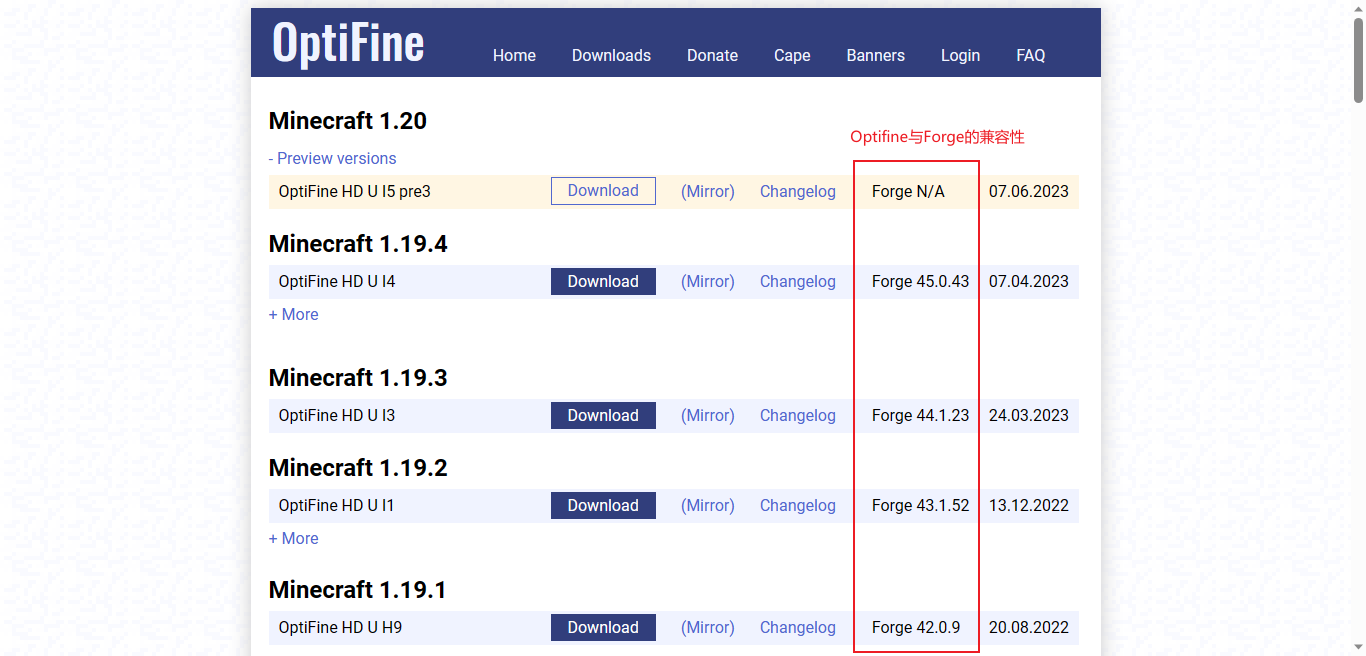
- If incompatibility occurs, please use OptiForge (a Forge mod) or wait for OptiFine to resolve its compatibility with Forge.
Installing Oculus (a Forge mod)
In newer OptiFine versions, OptiFine has poor compatibility with mods and provides only a small performance improvement, so you can install Oculus instead. However, Oculus is incompatible with OptiFine, so pay attention to dependencies: Oculus requires Rubidium.
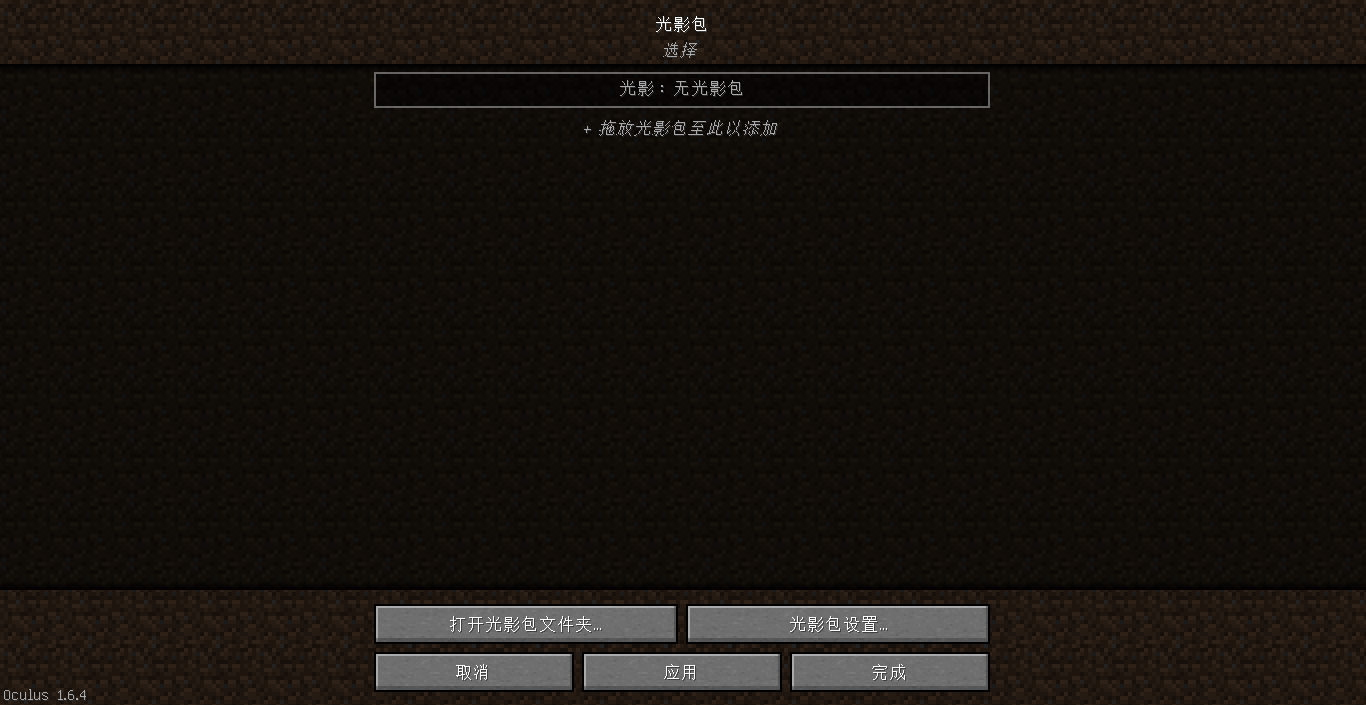
Related links: Oculus Curseforge, Oculus Modrinth, Rubidium Curseforge, Rubidium Modrinth
Installing Iris Shaders (a Fabric/Quilt mod)
On Fabric, you can also install Iris Shaders to use shaders. Pay attention to dependencies: Iris Shaders requires Sodium.
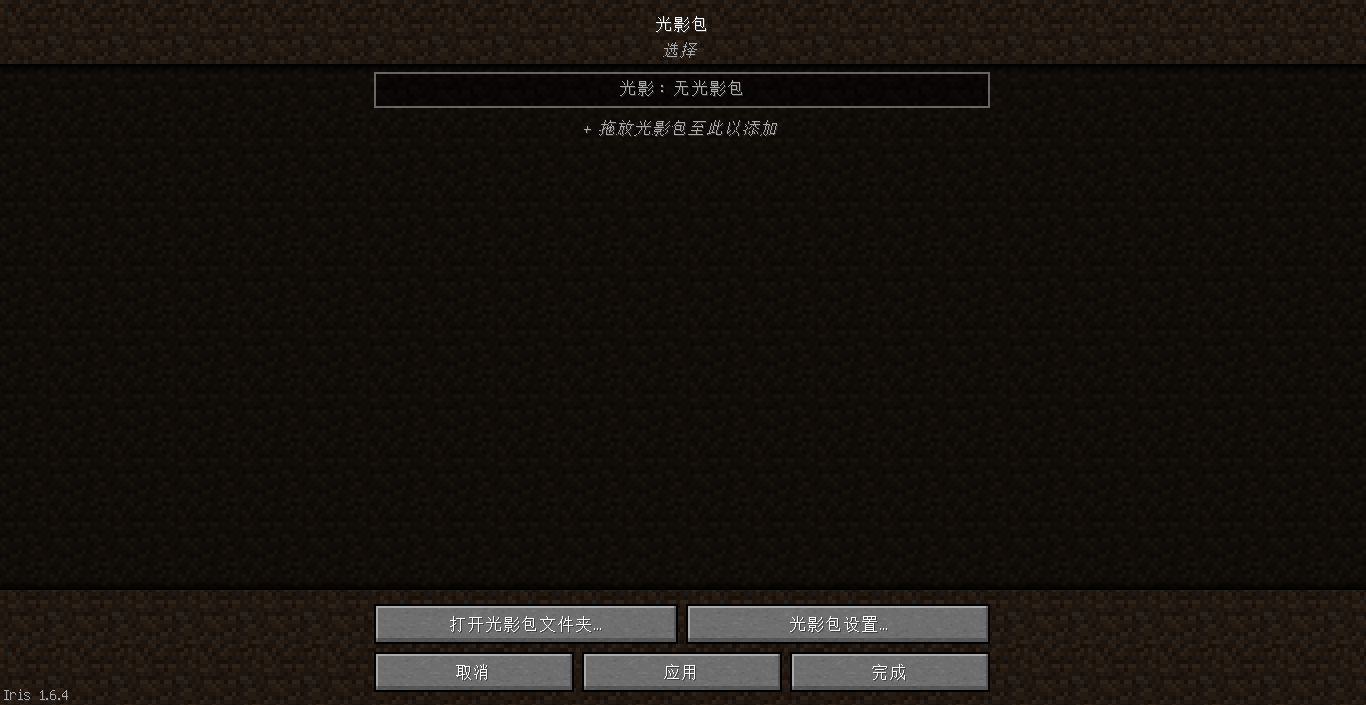
Related links: Iris Shaders official website, Iris Shaders Modrinth, Iris Shaders Curseforge (no longer updated, please download the latest version from the official website or Modrinth), Sodium Modrinth, Sodium Curseforge (no longer updated, please download from Modrinth)
Installing shader packs
Generally, a shader is a Zip file. Just put the shader file into the \.minecraft\shaderpacks folder (create the folder yourself if it does not exist). If version isolation is enabled, the folder is \.minecraft\version\<client name>\shaderpacks. If you do not know where the game folder is, open the game folder in HMCL.
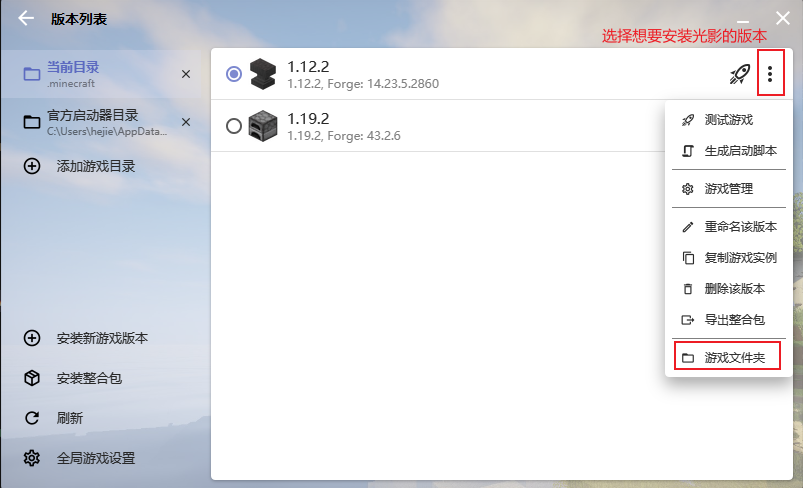
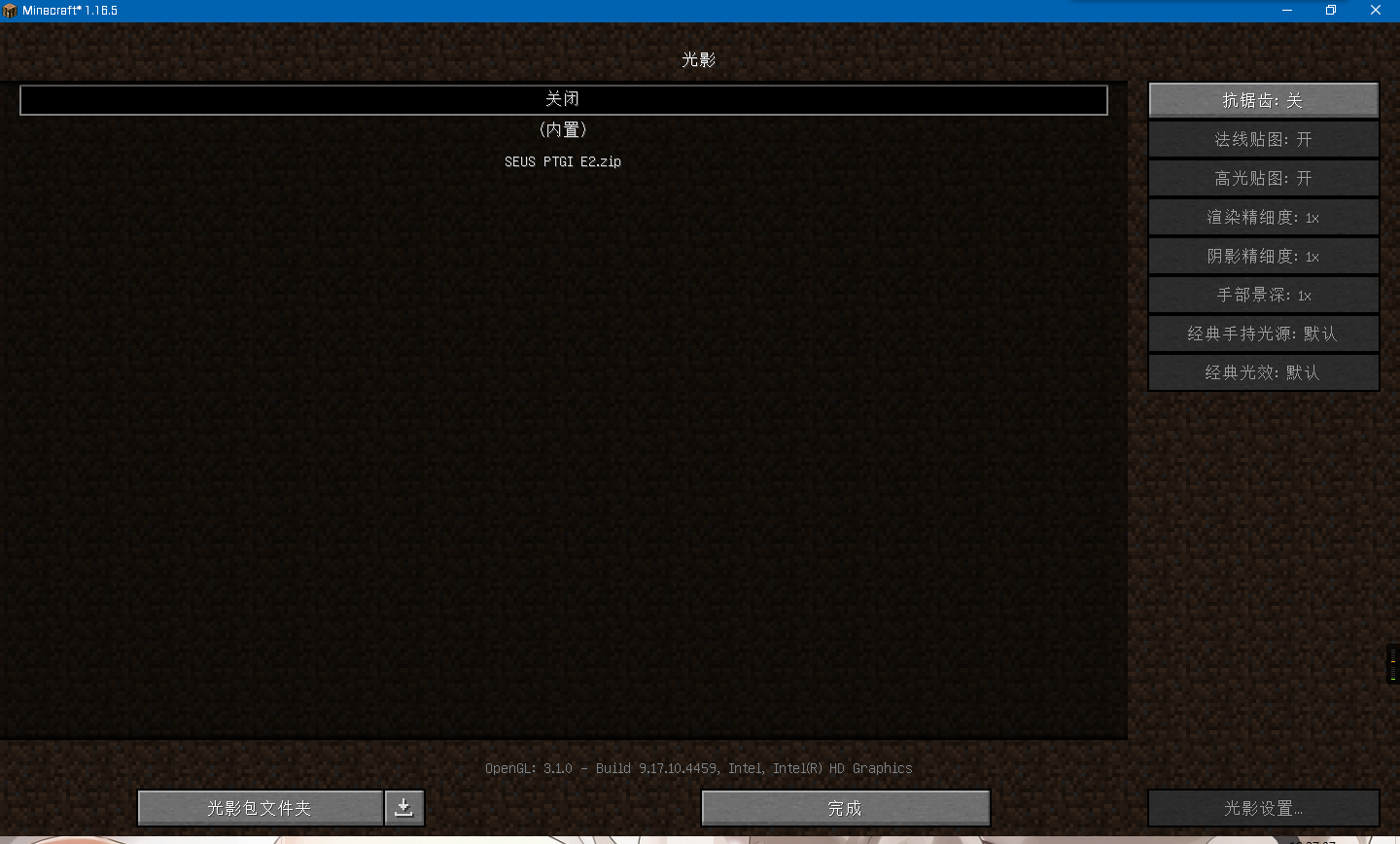
If you do not know what version isolation is and cannot create folders, then open the game and click Settings — Video Settings — Shaders — Shader Packs Folder, put the shader pack in there, then click the shader you want to load and finally click Done.
Note: shaders have relatively high requirements for computer hardware. If the game becomes very laggy after enabling shaders, please upgrade your computer, use a low-end shader, or disable shaders.